Keeping two Unity 6 games cool on a phone
Both games got hot on the menu. The fix started with measuring.
The same complaint, twice
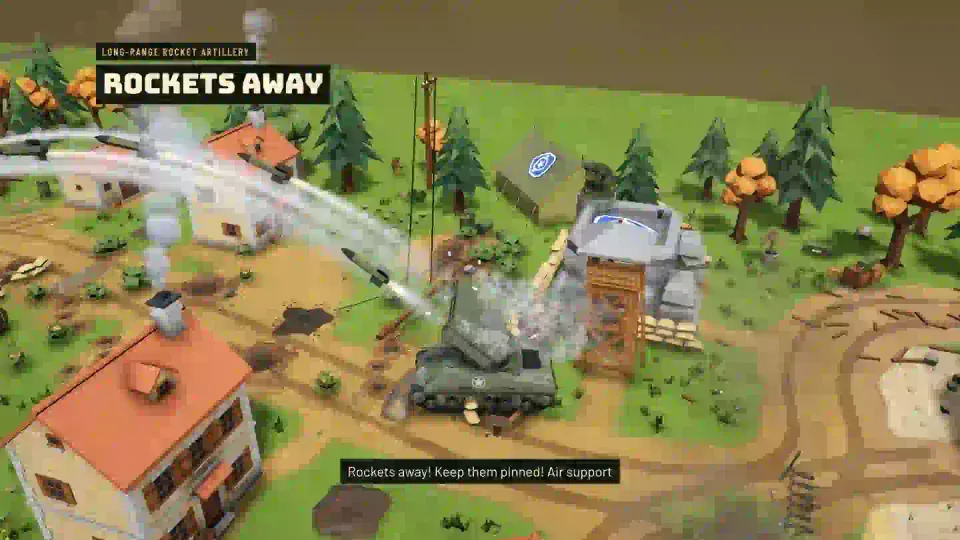
I make two games at Matterward Labs: Narrow Front, a portrait WWII strategy game, and Siren Jam, a parking puzzle. Both are built in Unity 6 with the Universal Render Pipeline, and both ship to Android and iOS from one project each.
On 29 September 2026 I noticed the same two problems in both. After the splash came a black screen, and the phone got warm on the main menu before I had played anything. I measured both games on the same phone, a Xiaomi with a MediaTek chip, a Mali GPU and a 120 Hz panel.
The causes were alike. Narrow Front built the whole 3D battlefield and compiled every skirmish map in a single frame at start-up, then drew the menu over a battlefield camera that was still running ambient occlusion, post-processing and shadows at 60 fps. Siren Jam loaded every sound, every world’s art and the first level in one frame, then rendered its home screen at the panel’s full 1268x2756 with 4x MSAA, SMAA, HDR, ambient occlusion, 4096 soft shadows and bloom. It aimed at 60 fps and managed about 45. Both idle menus sat at about 105% CPU.
Neither problem showed in the editor. Everything below came from recording real cold starts and real temperature curves on the phone.
Frame pacing: 60 only when something moves
A puzzle the player is thinking about doesn’t need 60 frames a second. Both games now pick their frame rate from what is on screen. Siren Jam’s FramePacer runs at 60 fps while cars drive, during the finale, while loading and for a moment after every touch. Everything else draws at 30:
// Simplified from Siren Jam's FramePacer.
void Update()
{
    if (Input.touchCount > 0) Nudge(1.5f);
    bool live = Context == "loading" || Time.unscaledTime < liveUntil || (Busy != null && Busy());
    Application.targetFrameRate = live ? 60 : 30;
    Screen.sleepTimeout = Context == "play" ? SleepTimeout.NeverSleep : SleepTimeout.SystemSetting;
}
Narrow Front uses the same idea. Battles, deployment and the animated main menu run at 60. List screens such as settings and the army drop to 30 when idle, and each gunshot in the menu’s painted battle scene asks for 0.7 seconds of 60 fps so the muzzle flash doesn’t stutter. Both games also let the screen sleep on menus. Siren Jam’s earlier build never allowed it.
A pixel budget for the 3D view
Modern phones have more pixels than a stylised low-poly scene needs. Both games cap the 3D render resolution and leave the UI at native resolution, so text stays sharp. Siren Jam’s budget is the pixel count of a 1080x2400 screen:
const float PixelBudget = 1080f * 2400f;
float pixels = Screen.width * (float)Screen.height;
pipeline.renderScale = Mathf.Clamp(Mathf.Sqrt(PixelBudget / pixels), .6f, 1f);
pipeline.mainLightShadowmapResolution = 2048;
pipeline.supportsCameraDepthTexture = false;
On my phone that renders the world at 0.86 of the screen’s size. Siren Jam also dropped SMAA, because on top of 4x MSAA it smoothed nothing more, and fits the sun’s shadow distance to what the camera can see. A 2048 shadow map over that distance looks as sharp as the old 4096 map spread over 120 metres. Narrow Front caps the view at about 2.3 million pixels, roughly 1080x2130.
Narrow Front also adapts during battles. A small governor steps down the least visible costs first when frames keep missing vsync and the GPU is the bottleneck: MSAA becomes FXAA, then the render scale drops to 88%, then ambient occlusion goes. It steps back up after 45 clean seconds and waits longer each time a raise fails. The level carries from battle to battle, because the phone’s heat does too.
Don’t render what nobody can see
The biggest saving in both games was turning the 3D world off. When a full-screen menu covers it, the 3D camera is switched off and a clear-only camera paints the background. Narrow Front now builds its battlefield on demand behind the versus screen and deactivates it again when an opaque menu returns.
The smaller savings added up as well:
- Animated UI sits in nested canvases, so a pulsing button rebuilds only its own canvas.
- Siren Jam’s HUD writes text only when a value changes, and parked cars stop updating once they come to rest.
- Siren Jam’s pedestrians are skinned on the GPU.
- In Siren Jam, effects such as the ring under a tapped car are pooled decals, and sparks and exhaust come from one particle system each, so an effect creates no new objects.
Loading in stages, never black
A blank screen reads as a crash. Both games now hand over from Unity’s splash to their own loading screen on the very next frame, with the same logo the splash showed. Start-up runs in stages behind it, and every stage logs its time.
Siren Jam stopped loading all its art at once. Its 463 art prefabs load per map from a generated list of 61 to 124 keys, asynchronously, while the loader is up. A level is built across frames, with as many small steps per frame as fit in 20 ms. The first level load went from 834 ms to 422 ms.
Narrow Front moved its skirmish map compiler onto a worker thread. Resources can only be read on the main thread, so it reads the map texts there and compiles them inside Task.Run. It also preloads both decks’ infantry prefabs at the start of a battle, which removed a 47 ms hitch on the first spawn.
What the numbers said
On Siren Jam’s idle home screen, five minutes from the same starting temperature, the CPU reached 59.5 °C and was still rising with the old settings. With the new ones it held 51.8 °C, flat from the first minute, at 30 fps as asked. Narrow Front’s idle menu went from about 105% CPU at 60 fps to 64.5% at about 33 fps. A 40-second skirmish then ran at 60.3 fps with a 95th-percentile frame of 16.6 ms. Those Narrow Front figures came from development players, which carry profiler overhead, so I treat them as upper bounds.
One lesson surprised me. At low load, this phone’s GPU clocks itself down to fill the frame, so FrameTimingManager reports a GPU time close to the whole frame whatever is drawn. GPU milliseconds are only comparable between runs at similar load. For heat, I compare temperature curves over several minutes.
Size, and shipping to two stores
Narrow Front’s Android build had 20.8 MB of dead space. Gradle’s incremental debug packaging rewrites the previous APK in place and leaves replaced entries behind as holes, including an old 18.4 MB libil2cpp.so. Deleting the old APK before every build fixed it. I also learned to measure APK entries and not trust Unity’s build report, which lists uncompressed sizes. A 4096 palette atlas that looks huge in the report can shrink to a fraction of a megabyte once compressed.
Both games share a baseline: Unity 6000.5.9f1, Android 8.0 (API 26) or later on ARM64 with IL2CPP, and iOS 15 or later. iOS builds need a Mac. For Siren Jam, a script there has Unity export the Xcode project, CocoaPods install the Firebase pods and xcodebuild compile it unsigned to prove it links. Every Matterward game also checks a minimum version from Remote Config, and that check compares version names, not build numbers. So every store release raises the version name, because App Store review can take days after Google Play already has the same version.
What I’d do from day one
I would set a frame pacer and a pixel budget before the first menu exists, and build the 3D world only when a screen needs it. I would log start-up phases and per-context frame samples from the first build, so a regression shows up as a number. And I would keep a script that installs a build, records a cold start and samples temperatures, because both of these problems were invisible from my desk.
 Talk to me on LinkedIn