
Aster
What if an AI could use the phone in your hand?
Aster source & documentation ↗ · . Connection paths documented in the project source.
You decide what the agent can reach.
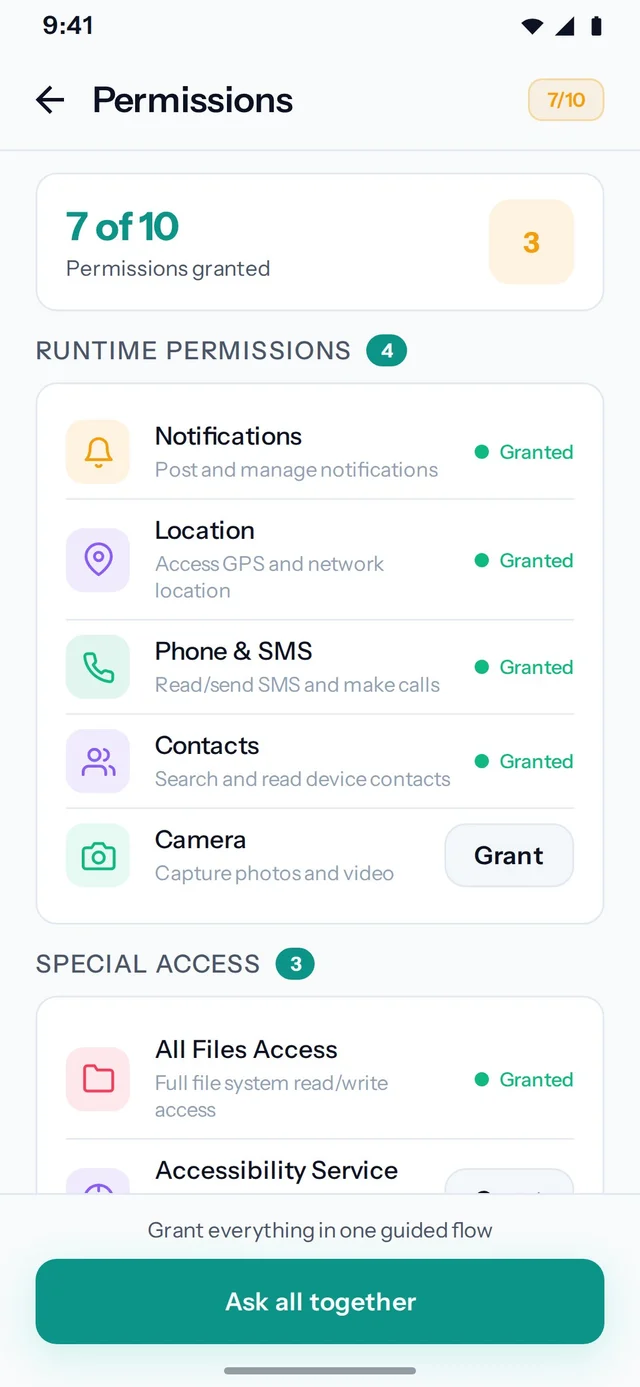
Accessibility and screen capture are explicit device permissions.
The phone is
part of the toolkit.
Aster brings on-device MCP and Android Binder IPC into an open-source companion app. The connection starts on the phone, with the person who owns it.
Read the source ↗Aster is an open-source Android companion I built for the OpenClaw era: agents were becoming useful outside a chat window, and I wanted to give them access to the phone already in someone’s hand. It lets an agent inspect the screen, tap controls, and navigate apps on a real phone. It is a separate app from OpenAlly, which talks to it over Binder on the same phone.
The connection can live in the app
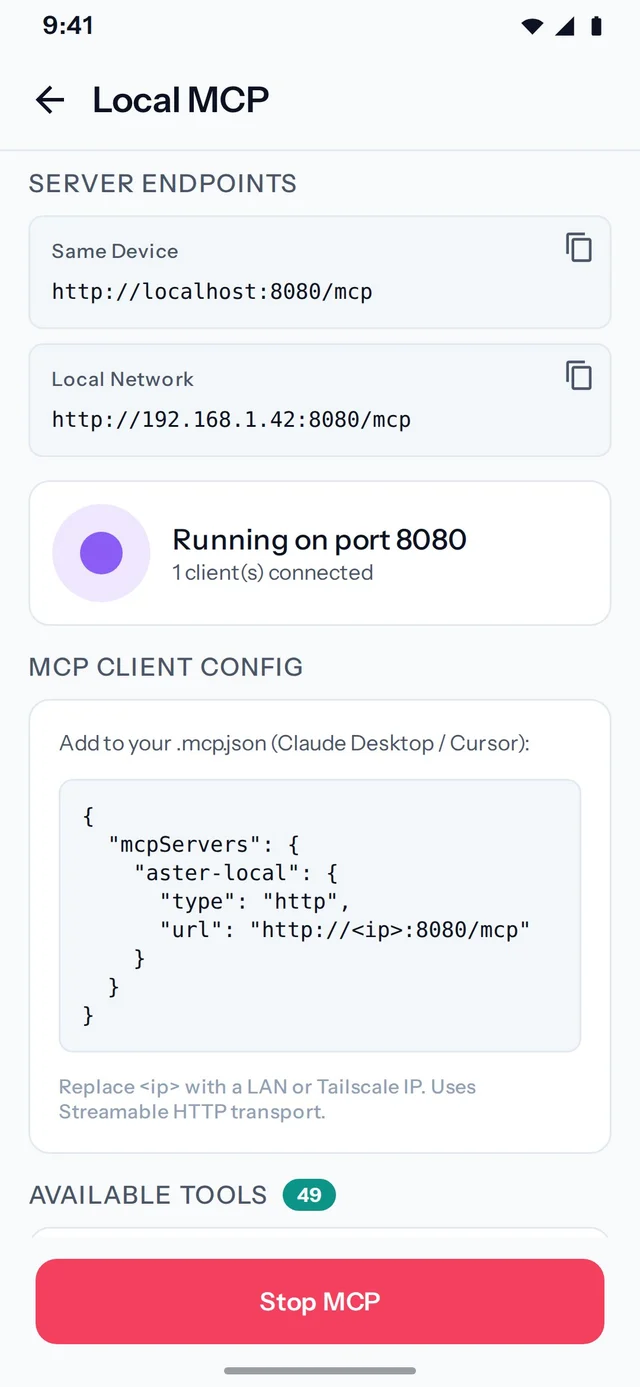
Aster supports two app-only connection paths. Its on-device MCP server runs inside the Android app. An MCP client connects directly to the phone over a trusted network, without a separate Node server. On the same device, another Android app can use Binder IPC to request actions directly, with token authentication and on-device approval. OpenAlly uses that native app-to-app path.
The on-device MCP server uses embedded Ktor and the MCP Kotlin SDK’s Streamable HTTP transport. Binder IPC stays on the device and does not need a network hop. Both paths reach the same command handler and device controls, although the available tool catalogs vary by path.
To my knowledge, Aster was the first Android app to bring on-device MCP and direct app-to-app IPC together in this way. The public repository documents the implementation, and the code is available under the MIT license.
There is also an optional remote path: the phone opens an outbound WebSocket connection to an Aster server, and an AI client connects to that server through MCP.
The phone is the server.
Embedded Ktor and Streamable HTTP live inside the app. A compatible MCP client can connect to the phone directly.
- MCP client
- Trusted network
- Aster on Android
A bridge to the screen
An agent that only receives text cannot automatically understand what an app is showing or which control to tap. Aster exposes device capabilities through the Model Context Protocol, or MCP, and a native Android companion. Its public repository describes the supported tools and connection setup.
Aster’s screen inspection and interaction rely on Android capabilities and permissions. OpenAlly’s broader cross-platform product does not depend on every platform offering the same screen-control mechanism.
Give the agent useful capabilities
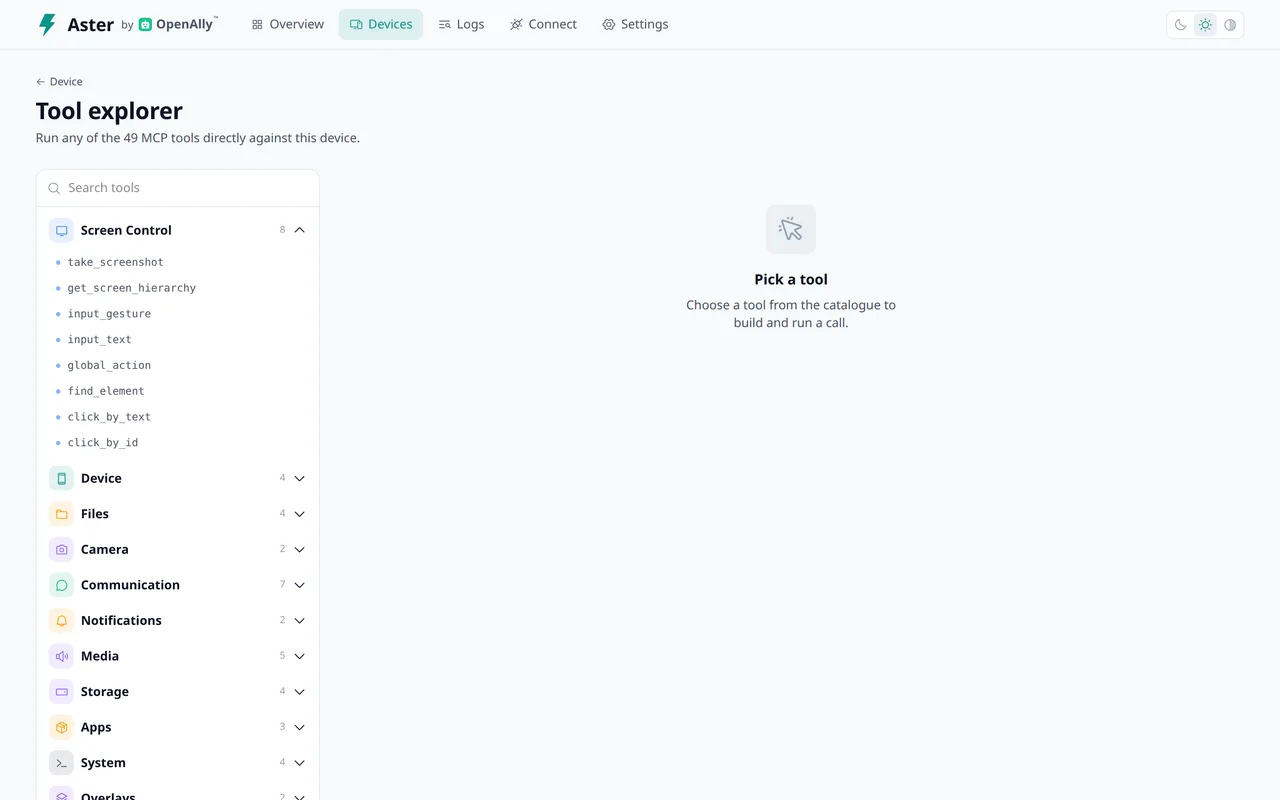
Screen inspection is one part of the toolkit. Aster can expose app navigation, files, notifications, media, calls and voice, camera capture, and Android system actions through its command handler. A spare phone can become a dedicated device for an agent; the phone someone already uses can also participate when they choose.
Observing a UI hierarchy and tapping a control are separate actions. A useful result depends on what is actually on screen when the action happens, not only on the plan the agent made a moment before.
Permission is part of the architecture
Accessibility access is a powerful capability. Aster’s implementation includes device approval and an on-device way to stop control. The on-device MCP server belongs on a trusted local network or a private network connection, not an exposed public endpoint. The native integration with OpenAlly uses Android Binder IPC and an approval boundary. It is a separate transport from the on-device MCP server.
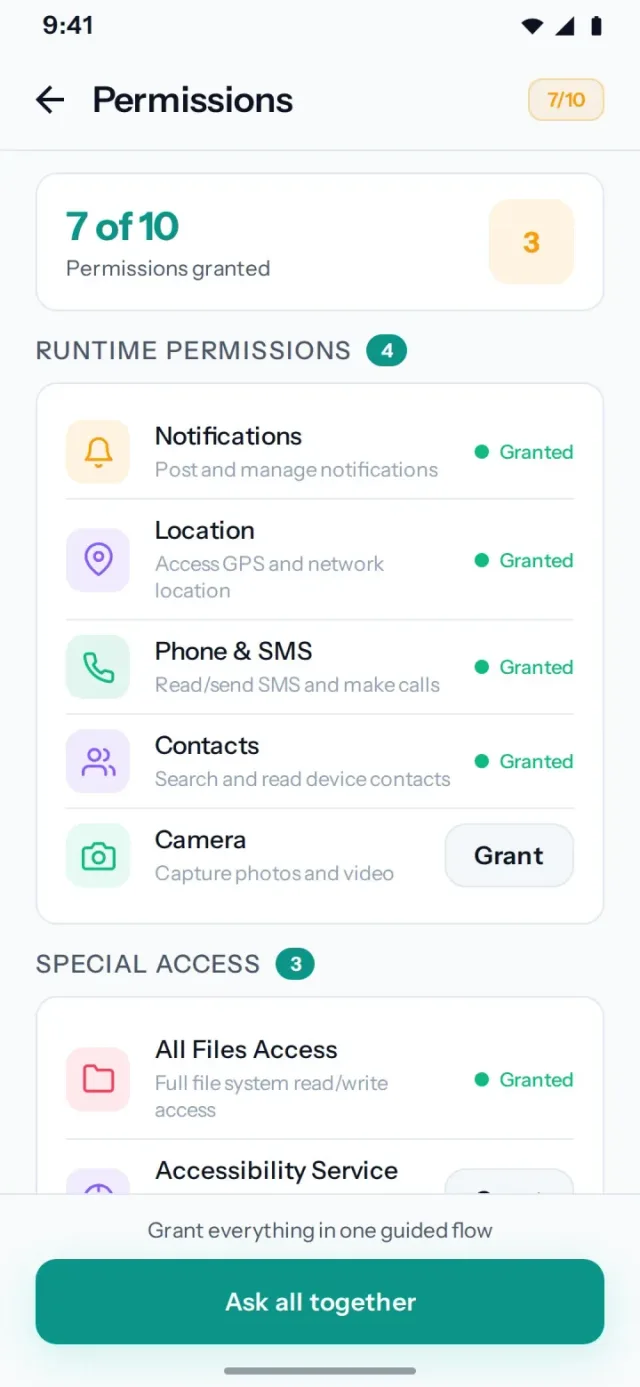
The persistent kill-switch notification gives the person a way to stop screen control. The package policy blocks control of banking apps by default and fails closed. These checks apply across every path; the trust setup for each transport remains different.
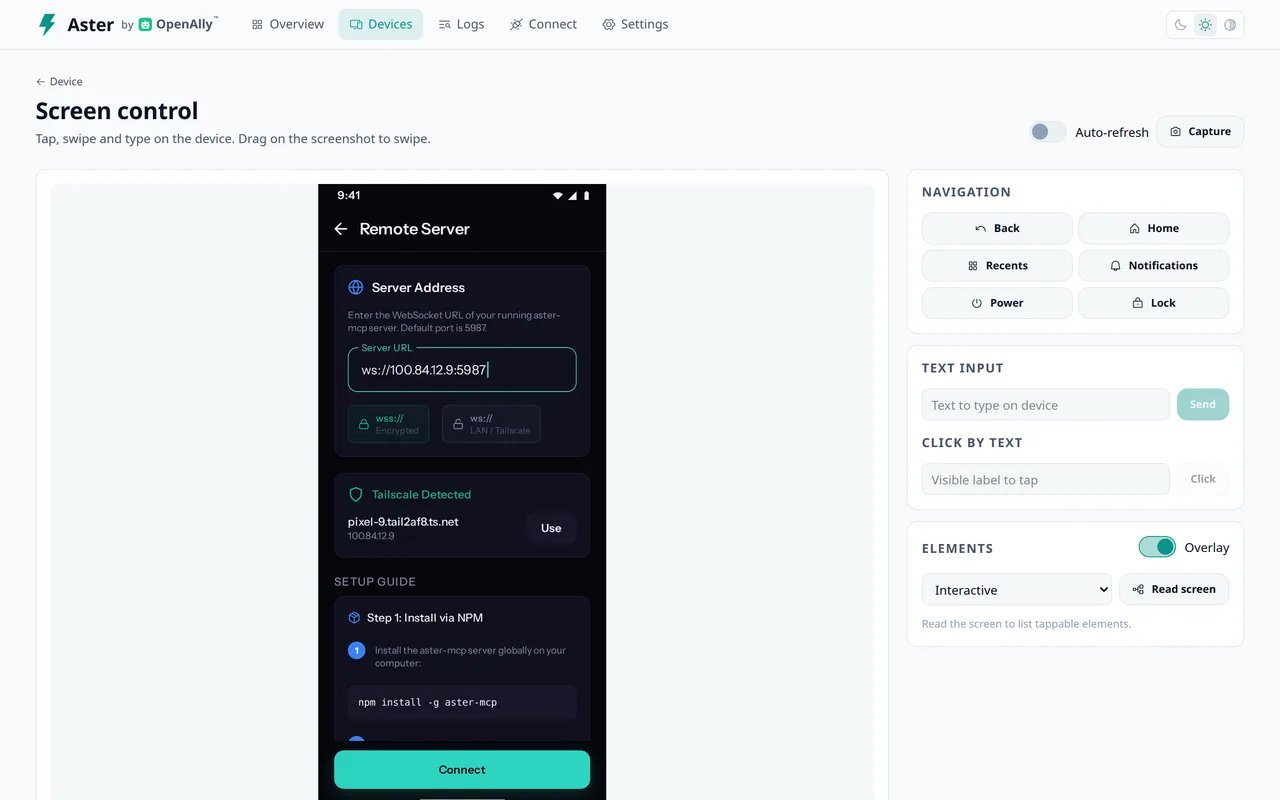
For example, an approved remote server connection does not turn the on-device MCP server into an authenticated public service. The remote server’s WebSocket needs a trusted network or a TLS/private-network layer when used remotely. The repository documents that boundary explicitly.
Record a flow, or react to an event
The on-device recording overlay captures taps, text, and scroll steps so a sequence can be replayed as an app automation. That is useful when the same route through an interface comes up repeatedly. A recorded flow still needs to account for a screen that has changed since it was recorded.
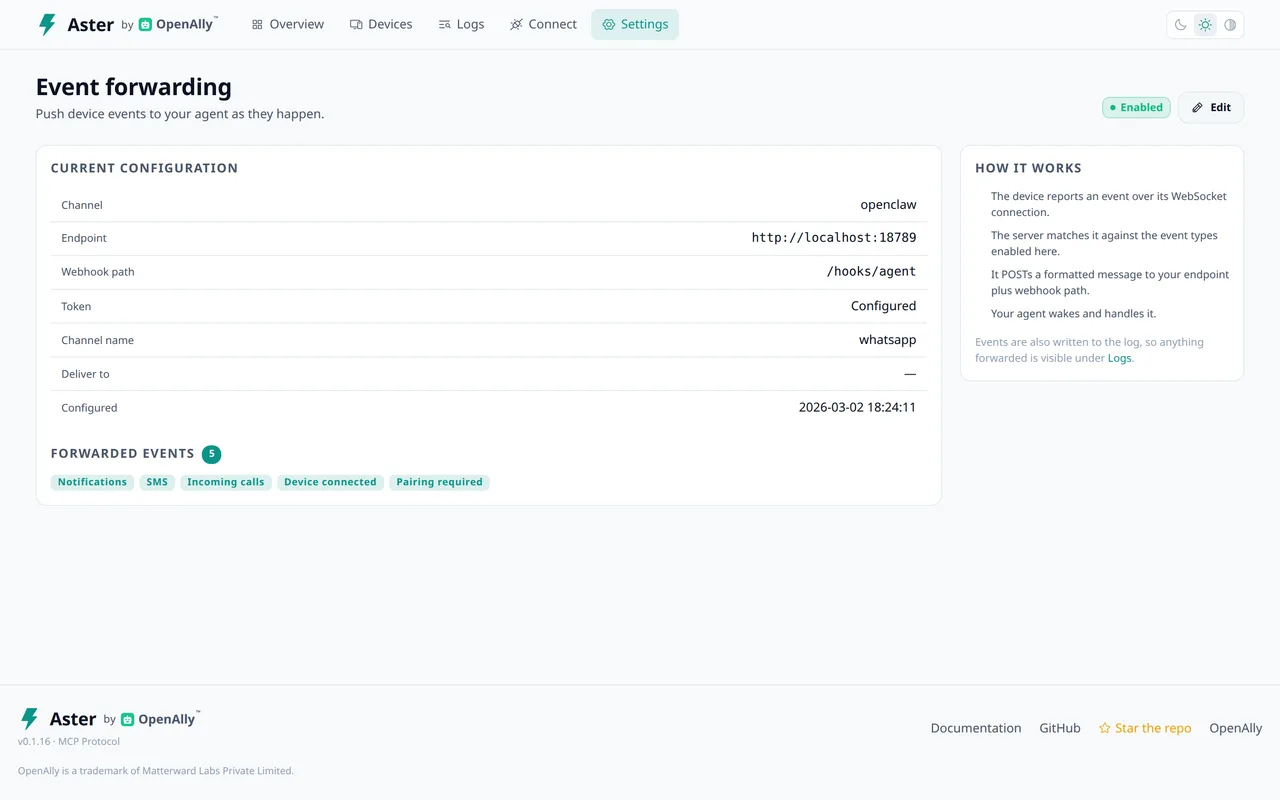
With event forwarding, an incoming notification or device event can become a webhook to an endpoint the owner configures. It is off by default. The companion face adds another kind of feedback: it articulates speech and can react to music, while its event classifier keeps raw accessibility events on the device.
A dashboard when the setup needs one
The optional server includes a web dashboard for device registration and approval, telemetry, logs, files, screen control, and tool exploration. It makes a multi-device setup inspectable.
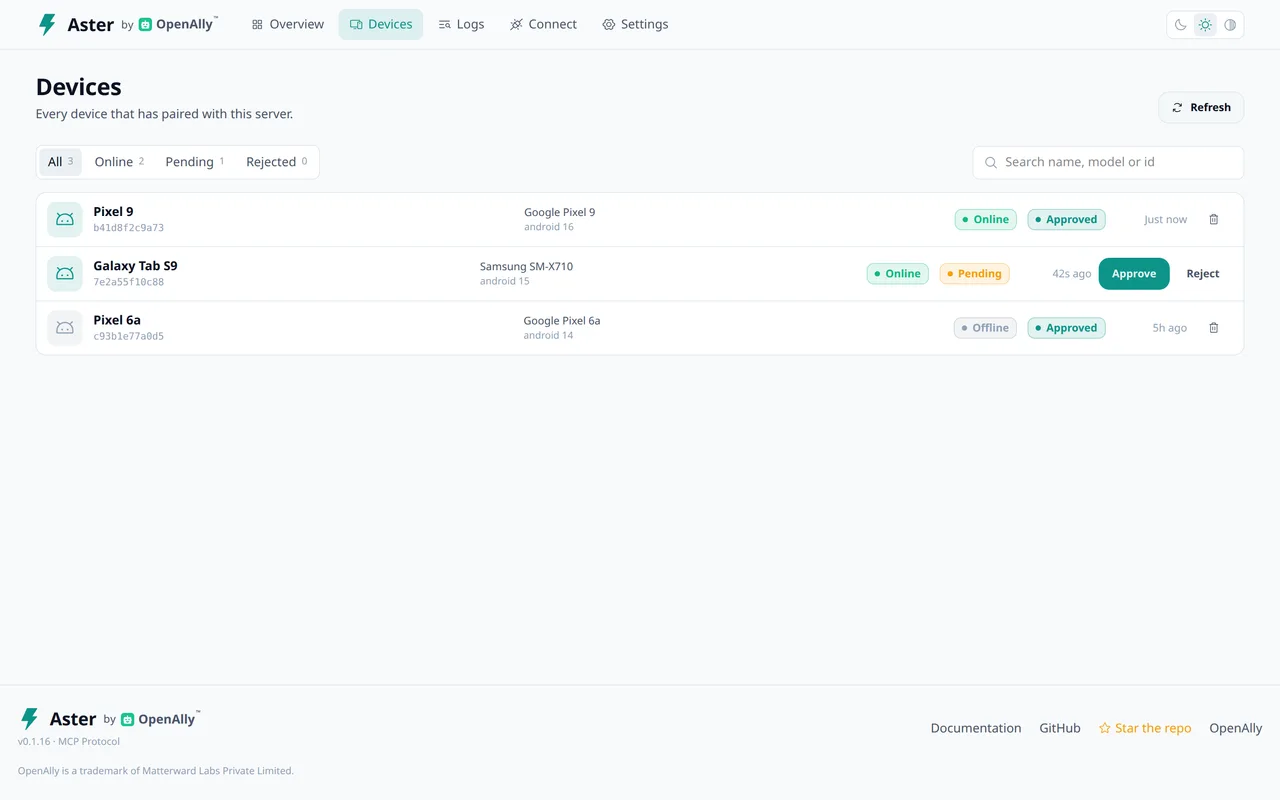
Someone evaluating Aster should be able to choose the path they need without assuming that every screenshot represents a required service.
The lesson in the boundary
This project made one distinction concrete: the agent can propose an action, but the device layer is still responsible for exposing and executing that capability. A screen can change between observation and action. Permissions can be removed. A connection can disappear.
Those are part of the product, not exceptions to design around later. I explore that reasoning in Giving AI an Android phone.
 Talk to me on LinkedIn